For CPTED practitioners
Your expertise,
Amplified.
You walk the site and make the calls. CPTED NOW captures your field observations, organizes the recorded material, and helps draft a report for your review. Keep your attention on the site and the judgment calls that need your expertise.
Private beta. We are onboarding practitioners in waves. Log in

From the place to the observation
Keep the detail.
Keep the context.
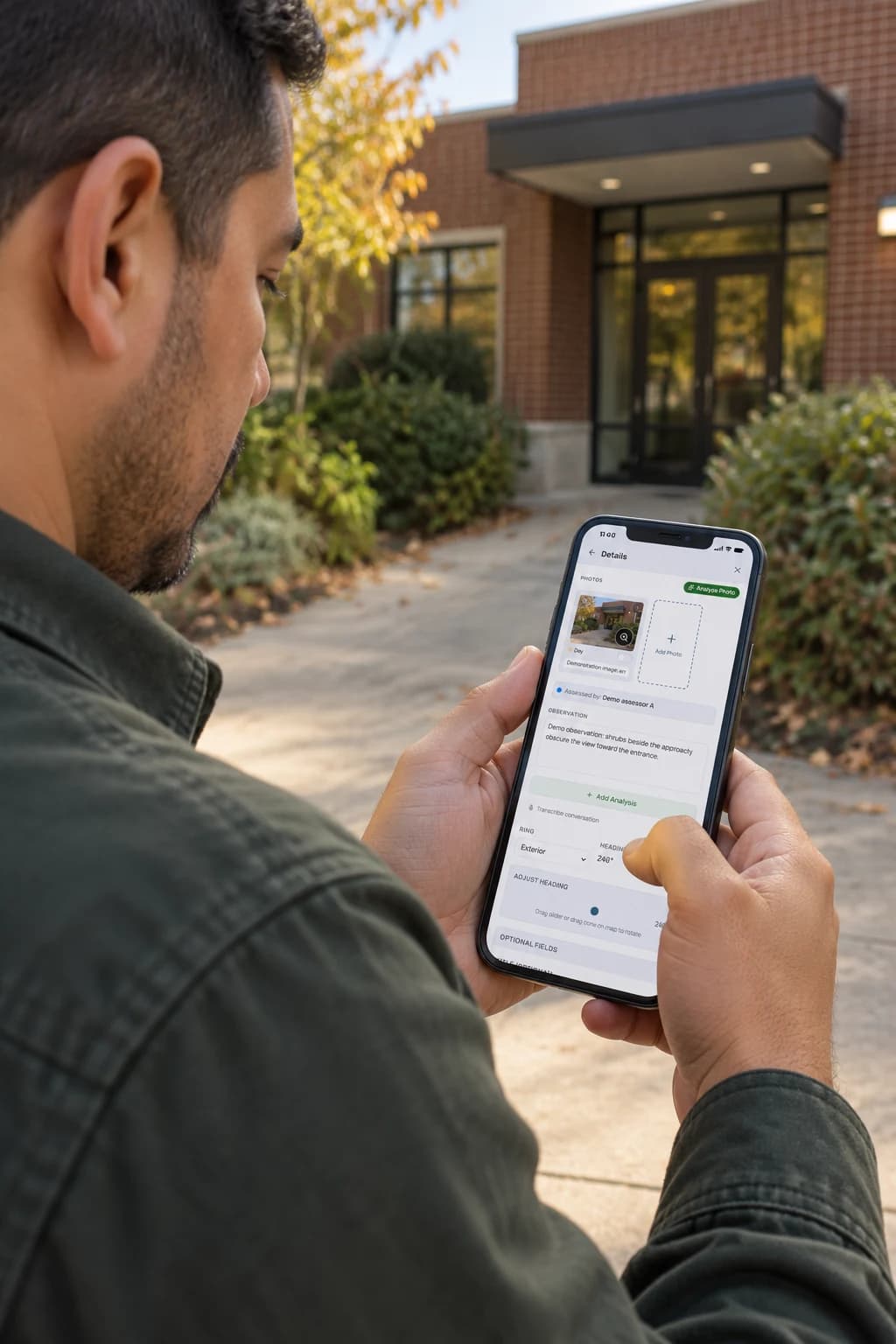
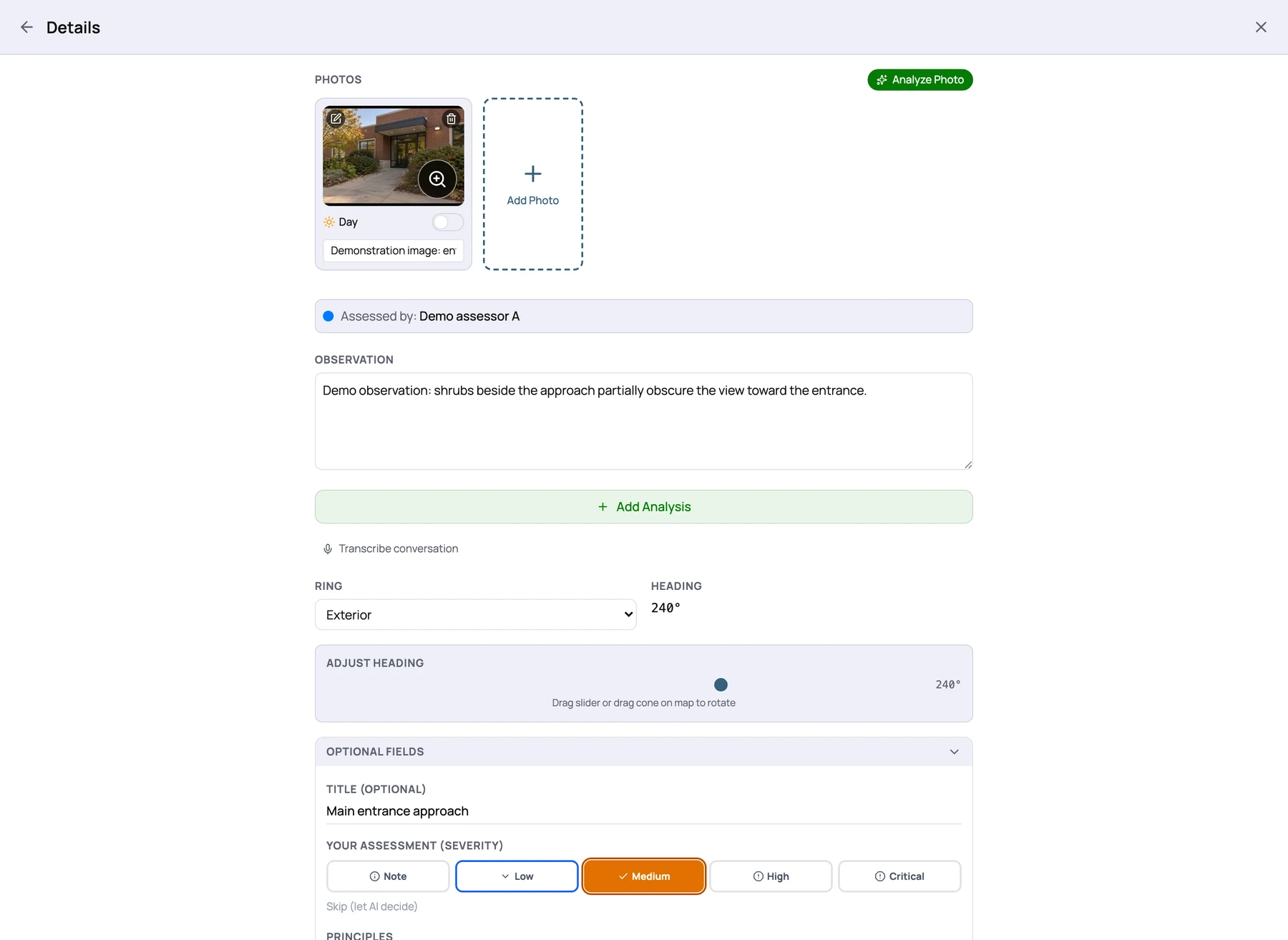
Keep the detail while it is fresh.
Record what you saw, where you stood, and which way you were looking. Keep photos and notes with the observation so the next review starts with recorded material from the walk.
Viewpoints and observations
Keep the viewpoint with the observation.
Review capture positions and recorded directions together. Use the map to revisit an observation’s context and identify questions for a follow-up visit.
Cone colors distinguish captured observations or assessors; selection can change their appearance. They do not show risk levels. A cone illustrates recorded direction, not a measured visibility area or camera coverage.
How to check the draft →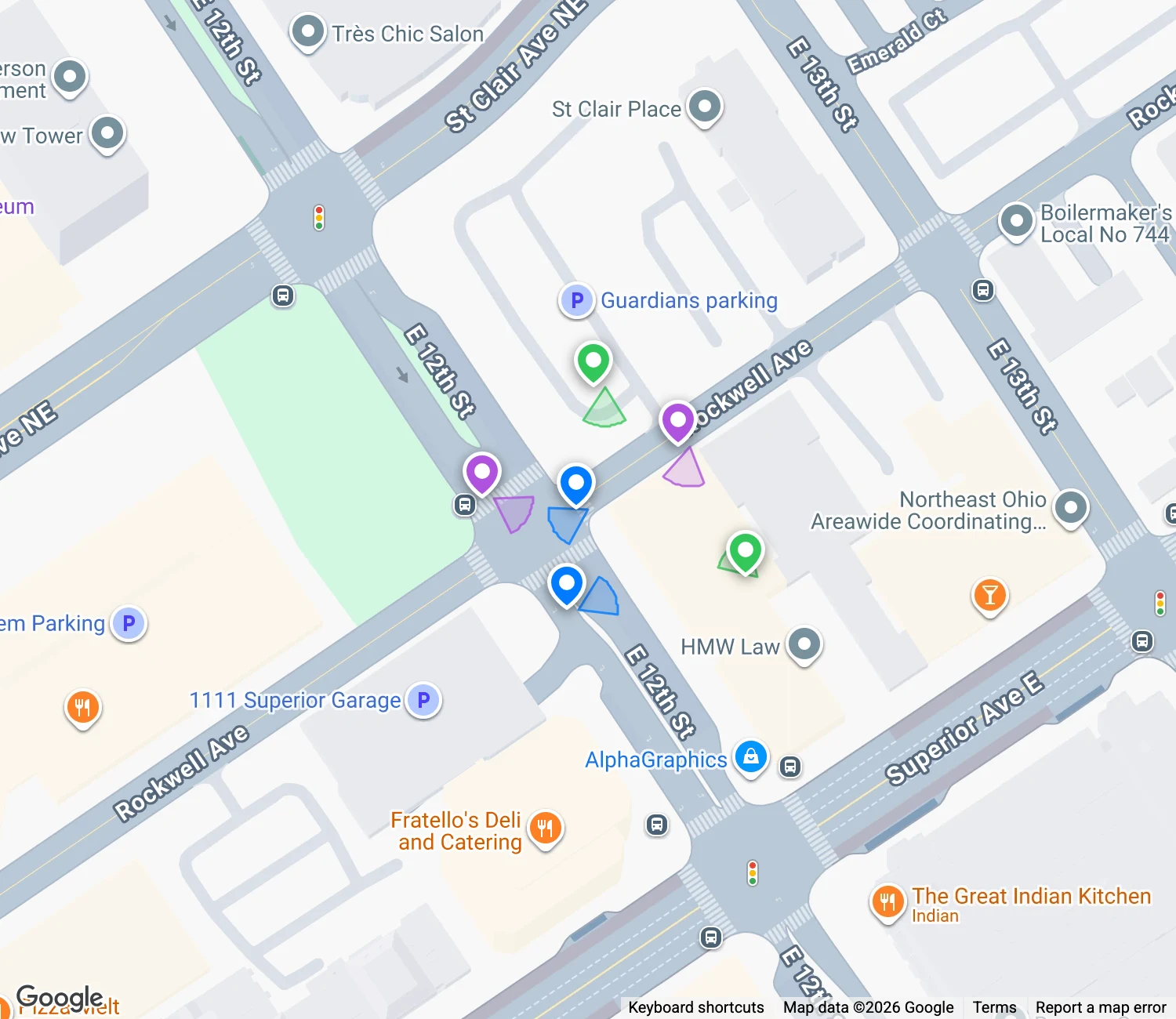
The walk is the job.
The write-up shouldn’t eat the week.
The hours go to sorting photos, matching notes to locations, rewriting findings in consistent language, and formatting a report that matches your last one.
CPTED NOW brings that work into one workflow. Your time goes where your clients need it: the observation and the judgment call.
What stays yours.
What we take off your plate.
Your expertise
- Walking the site and deciding what matters
- Reading site history, use patterns, and stakeholder input
- Findings, priorities, and recommendations
- Trade-offs and your signature on the final report
Your working tools
- Photos, notes, GPS, and compass bearing together
- Observations organized by location and principle
- AI-assisted drafts you can inspect and edit
- Consistent report structure and document assembly
Four steps.
You decide at every one.
- 01
Capture
Use the native mobile app to keep photos, notes, location, and heading with an observation. Set up access before the visit; capture locally when offline and check that uploads finish after reconnecting. Location and compass depend on device permissions and available sensor data.
- 02
Analyze
Request AI-assisted drafts from your observations and site context. The pipeline organizes analysis through seven product lenses and summaries by location ring.
- 03
Review
Review the draft report, edit finding and narrative text, and hide findings that do not belong. Each report includes one re-run of the full analysis. Check the recorded material and decide which recommendations belong in your final report.
- 04
Deliver
Assemble a consistent report with your findings, priorities, and supporting site records. Review the final document and export it with your organization’s branding.
For the professionals
who sign the assessment.
Independent consultants
Keep field capture, analysis, and report assembly in one workflow.
Law enforcement crime prevention units
Turn site reviews into consistent, documented reports for residents and businesses.
Jurisdictions and programs
Give your assessors a shared structure for recording and reviewing findings.
Multi-assessor security firms
Keep the reporting structure consistent while each practitioner owns their conclusions.
Grounded in the references
you already use.
Draft analysis can refer to ISO 22341, ASIS risk assessment guidance, NFPA 730 premises-security guidance, IES lighting references, and FEMA guidance. Check each citation, edition, and its applicability to your site. A reference in a draft is not evidence of compliance, endorsement, or certification.
Our seven product lenses include an additional environmental sustainability review. They are not presented as seven principles defined by ISO 22341.
Read what each lens covers →Built with a practitioner,
for practitioners.
Developed around the work of capturing observations, checking drafts, and delivering a report a client can use.
Why we built CPTED NOW →Your clients’ vulnerabilities
are sensitive.
Understand how assessment data moves through the service, which providers process it, and how to discuss your organization’s requirements before onboarding.
Security and data →Bring your expertise.
Join early access.
Tell us about your practice and help shape the product. We’ll contact you to discuss your workflow, early access, and feedback. Pricing has not been set; joining does not create a paid commitment.
Early access uses Microsoft sign-in and approved account access. You can join the waitlist with any email address; we will confirm account and invitation requirements before onboarding.